
Latino TV First
Las Estrellas, Telemundo, Univision, Caracol, Telefe and regional channels from across Latin America lead the list, followed by US networks, Spanish and European TV and more — in HD, Full HD and 4K where the broadcaster provides it.
Instant activation · Firestick, Roku, Smart TV, Android, iOS & desktop
Tu Latino TV puts 27,000+ live channels and 150,000+ movies, series and telenovelas behind one login. Liga MX on Saturday night, the novela everyone talks about on Monday, news from back home and the big US networks — in Spanish and English, in up to 4K, on the TV, stick or phone you already own.
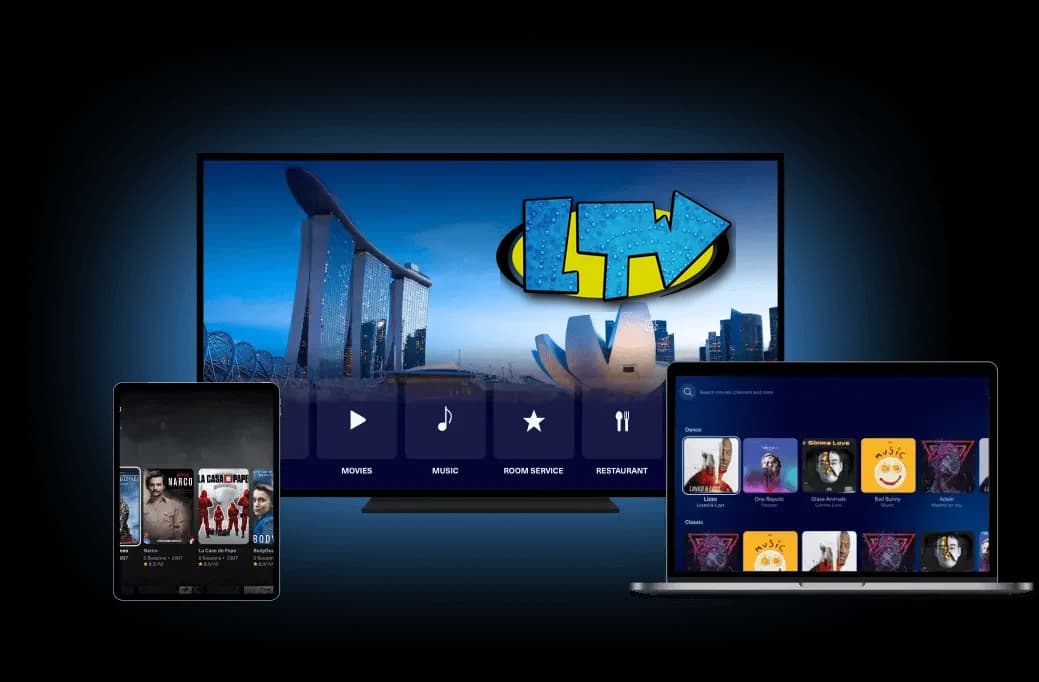
Works on the screens already in your home
Cable sells Spanish-language TV as an add-on pack, then charges again for sports. Tu Latino TV starts from the other side: the Latino channels come first, and everything else is included with them.
One month on one screen opens the same 27,000+ channels as two years on five: Mexico, Colombia, Argentina, Puerto Rico and the rest of Latin America, plus US, sports, movie and kids channels. Look through the Tu Latino TV channel list before you decide.
Install a free player, then type the username and password from your welcome email — or send us the Device Key the app shows and we connect it for you. The setup guide covers Firestick, Roku, Samsung, LG, Android, iPhone and Apple TV step by step.
A stream rarely fails on a quiet Tuesday. It fails at kick-off of the clásico, when everyone opens the same channel at once. Our viewers are spread across load-balanced servers that hold 99.9% uptime, so the busy nights stay watchable.
Lost the welcome email? A Smart TV that will not cooperate? Write to us in Spanish or English and a person on the team answers, at any hour. You can contact support before you buy as well.
The price depends on two things only: how many screens watch at the same time, and how many months you want. Every plan has the same channels and the same on-demand library, and the longer terms cost less per month.
Still deciding? Search the channel list or ask for a free trial first, then come back and choose.
A big number on a banner is the easy part. People renew for simpler reasons: the channels they actually watch, a picture that holds, and an answer when something goes wrong.
Las Estrellas, Telemundo, Univision, Caracol, Telefe and regional channels from across Latin America lead the list, followed by US networks, Spanish and European TV and more — in HD, Full HD and 4K where the broadcaster provides it.
Liga MX, La Liga, Champions League and Premier League, plus NFL, NBA, MLB, UFC, boxing and Formula 1 — live as they happen, on the sports channels included in every plan. No sports add-on and no charge per event.
Recent movies, complete series, telenovelas from the first episode, documentaries and kids' films, with new titles added all the time. Many carry Spanish audio or subtitles, so the whole family can follow.
Viewers are distributed over several servers instead of one crowded machine. That is how the stream keeps playing through a final or a pay-per-view main event, when thousands tune in within the same minute.
Choose how many devices can play at once when you order. The game in the living room, a novela in the kitchen and cartoons on a tablet can run together on one subscription, with no surprise fee.
Choosing a player, finding your login, a Firestick acting up or a payment still pending — a member of the team picks it up and stays with you until it is solved, in Spanish or English.
A general comparison of three ways to watch television at home. The cable and streaming columns describe those kinds of service in general, not any particular company.
| Tu Latino TV | Cable TV | Streaming apps | |
|---|---|---|---|
| Latino & Spanish-language channels | Included on every plan | Usually a paid add-on pack | A few per app, if any |
| Live sports | Included, no add-on | Sports tier costs extra | Split across several apps |
| Contract | None — pay per term | Often 12–24 months | Monthly, auto-renewing |
| Equipment | Devices you already own | Rented box, installation | Devices you already own |
| Screens at once | 1 to 5, your choice | Extra boxes cost extra | Depends on the tier |
| Automatic renewal | Never | Yes | Yes |
| Starting price | From $15 for a month | Varies by provider | Varies; several apps add up |
Tu Latino TV prices are the ones on this page. Cable and streaming prices vary by company and region, so check theirs directly.
Five short steps. No technician, no box in the mail, no contract. If one of your devices gets stubborn, support stays with you until it plays.
Decide how many devices will watch at the same time and for how long — one month to try it, or up to 24 months for the lowest monthly cost. Those two choices set the price.
You pay with a prepaid gift-card code, so no bank card is typed into this site and nothing is stored. Nothing renews by itself: you pay again only if you decide to continue.
Your Tu Latino TV username, password, server address and M3U link arrive in one email — usually within minutes, the same day at worst.
Open the setup guide, pick your device — Firestick, Roku, Samsung or LG TV, Android, iPhone, Apple TV or a computer — and follow the steps. Ten minutes is usually enough.
Sign in once, or let us switch the player on remotely, and give the TV guide a moment to load. After that the app keeps you signed in.
The app, the login, prices, Firestick setup and paying without a card. There are more answers in the full Tu Latino TV FAQ.
Tu Latino TV — also written TuLatinoTV, or searched as Tu TV Latino — is an IPTV subscription made for Spanish-speaking households. One login opens 27,000+ live channels from Mexico, the United States and Latin America, plus 150,000+ movies, series and telenovelas on demand, in HD, Full HD and 4K where the broadcaster offers it. It plays through an app on the TV, streaming stick, phone or computer you already have, on one to five screens at once depending on your plan.
Yes. Tu Latino TV has its own app, shown as LTV, and it is being moved to a new server with a larger catalogue. Until that update is released we set every customer up on IBO Player Pro, which we activate for you at no extra cost. Your subscription also comes with an Xtream Codes login and an M3U link, so IPTV Smarters, TiviMate and similar players work too. Download apps only from an official store or from the links in our setup guide — never from APK mirror sites, which often repackage apps with unwanted extras.
IPTV players are not in the Amazon Appstore, so the player is installed with the free Downloader app. In Settings, open My Fire TV, then Developer Options, and allow apps from unknown sources for Downloader. Enter the Downloader code 481220 — or see the Firestick guide — to get the player, open it, and send us the Device Key and MAC address on its first screen — we activate it from our side. If you prefer another player, sign in with the username and password from your welcome email instead.
In the welcome email we send after your payment is confirmed. It contains your username and password (usuario y contraseña), the server address and an M3U link, and it usually arrives within minutes. If you cannot find it, look in the spam folder, then write to support with your order number or the WhatsApp number you gave at checkout and we send it again. There is no account page to log in to on this website: the login is for the player app. Keep it private — each plan plays on its own number of screens.
No. Tu Latino TV is a paid subscription, with plans from $15. What you can do without paying is ask for a free trial, which the team reviews by hand, or take the $1.99 24-hour pass if you would rather not wait. Websites that offer free Tu Latino TV codes, shared accounts or leaked playlists are not ours: those lines stop working within days and the downloads that come with them can carry malware.
Prices start at $15 for one month on one device and go up to $289 for 24 months on five devices. You choose the number of screens that can watch at the same time (1 to 5) and the term (1, 3, 6, 12 or 24 months); the channels are identical on all of them. The full table is on the subscription plans page. Each term is paid once and never renews automatically.
Yes. On Apple TV, iPhone and iPad, install ibo Pro Player from the App Store. On Roku, add Ibo Player Pro(Global) from the Channel Store. On Samsung and LG televisions, IBO Player Pro is in the TV's own app store, so no extra stick is needed. On each of them you send us the Device Key the app displays and we activate it remotely, which saves typing a long address with a remote. Store links are in the setup guide.
Latino and Spanish-language television first — channels from Mexico, Colombia, Argentina, Puerto Rico, Central America and Spain — together with sports channels that carry Liga MX, La Liga and the Champions League, movie and kids channels, news, and the main US networks. Line-ups change from time to time, so the channel list shows representative channels in each category, and a free trial is the surest way to confirm one specific channel before you pay.
Every order is paid with a prepaid gift-card code. You buy the code from the retailer we link at checkout, using whatever that retailer accepts — a credit or debit card, PayPal and other methods — and then type the code on our site. Your card details never reach us and we keep no payment information. Each term is paid once and does not renew, so there is nothing to cancel: the line simply ends with the term unless you extend it.
No. tulatinotv.net is not operated by us and has no connection with Tu Latino TV, and APK download sites that reuse our name are not ours either. Tu Latino TV is sold here on tulatinotv.org, and your login always comes from us by email after checkout. If you bought access somewhere else under a similar name, that seller is the one to contact; if you are not sure where you bought, send us your order email and we will check.
Usually the problem is closer to home. Restart the app and the device, then try a different channel: if only one is dark, that channel is being refreshed and normally returns shortly. Check that your term has not ended — the date is in your welcome email — and that your internet gives at least 25 Mbps for 4K. Still nothing? Contact support with your username and we check your line directly. The troubleshooting answers go into buffering in more detail.
Tu Latino TV provides paid access to a streaming service. It does not host, own or produce the programs it carries and claims no rights over them. Watching television over the internet is lawful in itself, but content licensing rules differ from country to country, and you are responsible for what you watch where you live. Our terms and conditions and DMCA policy explain what the service is and is not; please read them before subscribing.
A few Tu Latino TV customers describe the picture, the setup and the help they received, in their own words.
“I went through several IPTV services before this one, and Tu Latino TV has been the most reliable by far. The 4K channels look great, and the big fight nights ran start to finish without stopping to buffer.”
“Putting it on my Firestick was easy. The channel selection is huge, and I can keep up with my shows and my fútbol from here in the US without lag. I have already recommended it to my family.”
“It does what it promises. My line was active almost right away, support answers quickly when I write, and the expensive cable bill is finally gone from our house.”
Choose a plan from $15 and most lines are active within minutes of payment. Not sure yet? Ask for a free trial and see the channels on your own screen first.